Updated
How to remove search results about you from Google

By Ida Nilsson
Customer Success Manager

Reviewed by Filip Landgren, PhD
CEO & Co-Founder
You can ask Google to remove links that show your personal information by finding those links, collecting their exact URLs and submitting them through Google's official reporting form (one form for EU citizens, another for everyone else). Most links are removed in about 13 days, though it can take anywhere from 4 days to 8 weeks.
Key takeaways
- Google has one removal route for EU citizens (Right to be forgotten) and a separate content removal form for everyone else.
- Search several variations of your name, such as with a middle initial, your address or your city, to find every result.
- Google processes removal requests per URL, not per website, so submit each link separately.
- Most links are removed within about 13 days, though some take 4 days and others up to 8 weeks.
- Content of public interest, such as official records or business details, usually stays up even if it names you.
Below: which form to use, how to find and submit the right links, what happens next, and what Google will and won't remove.
Which Google removal form should you use?
Google has different reporting tools depending on where you're located.
If you are an EU citizen
Use the Google legal removal troubleshooter. Once there, follow these steps to reach the right form:
- Select Google Search
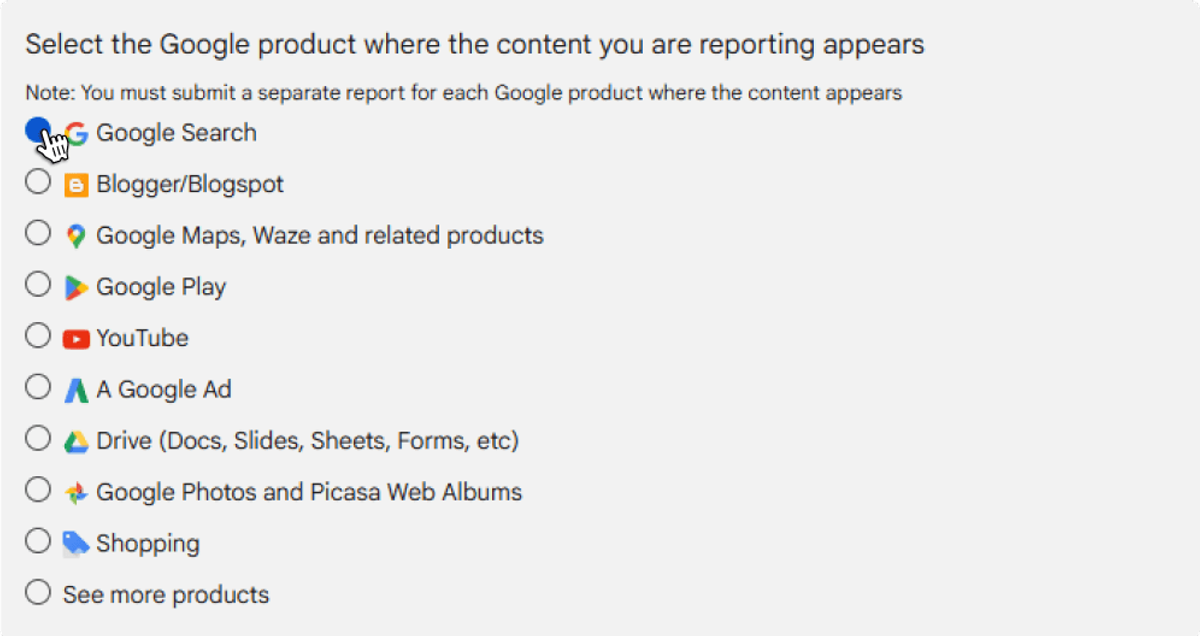 Expand
- Select product
 Expand
- Select "Legal Reasons"
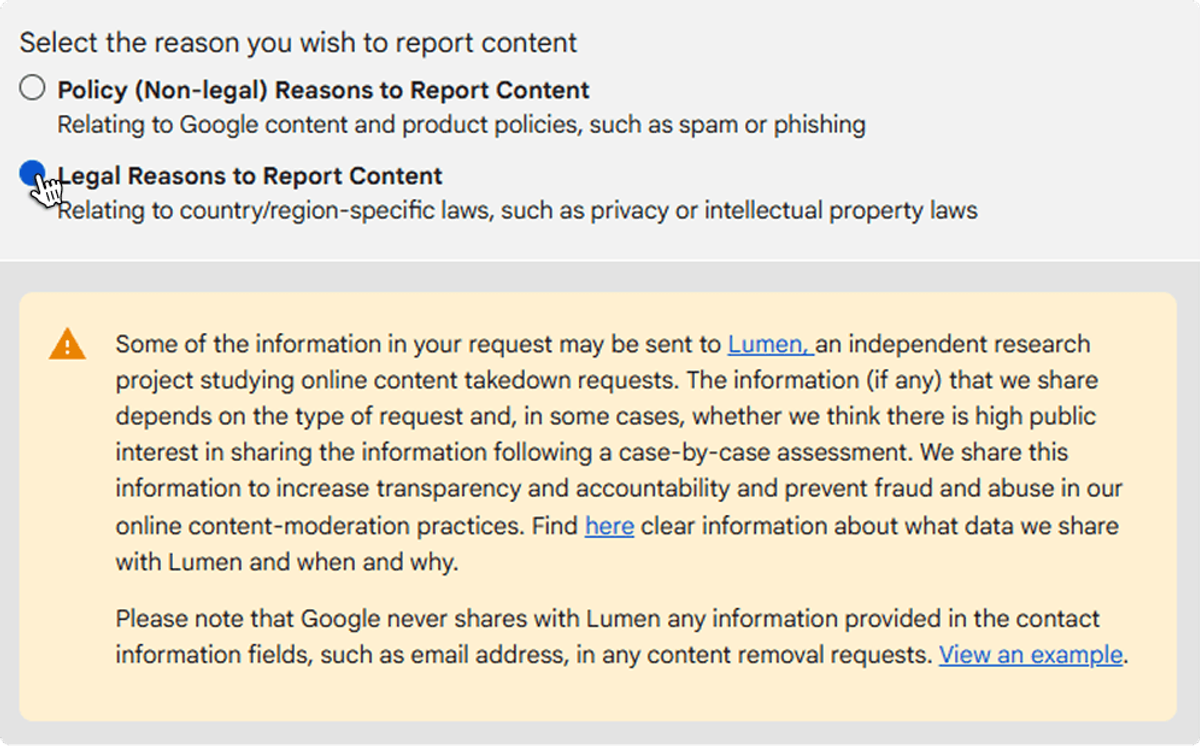 Expand
- Select "Personal Data / Privacy"
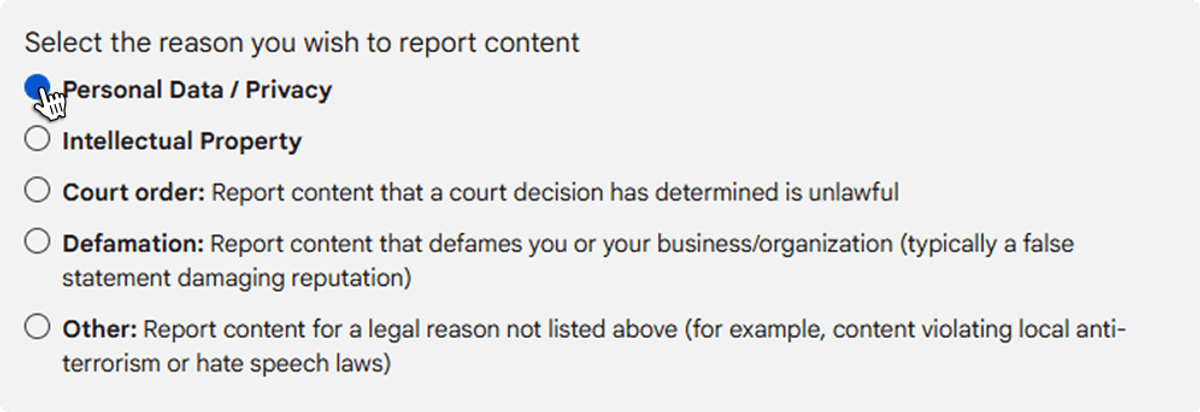 Expand
- Select "Right to be forgotten"
 Expand
- Select "Create Request"
 Expand
This takes you to the removal request form.
If you are a citizen outside the EU
Use Google's content removal form and fill it out directly.
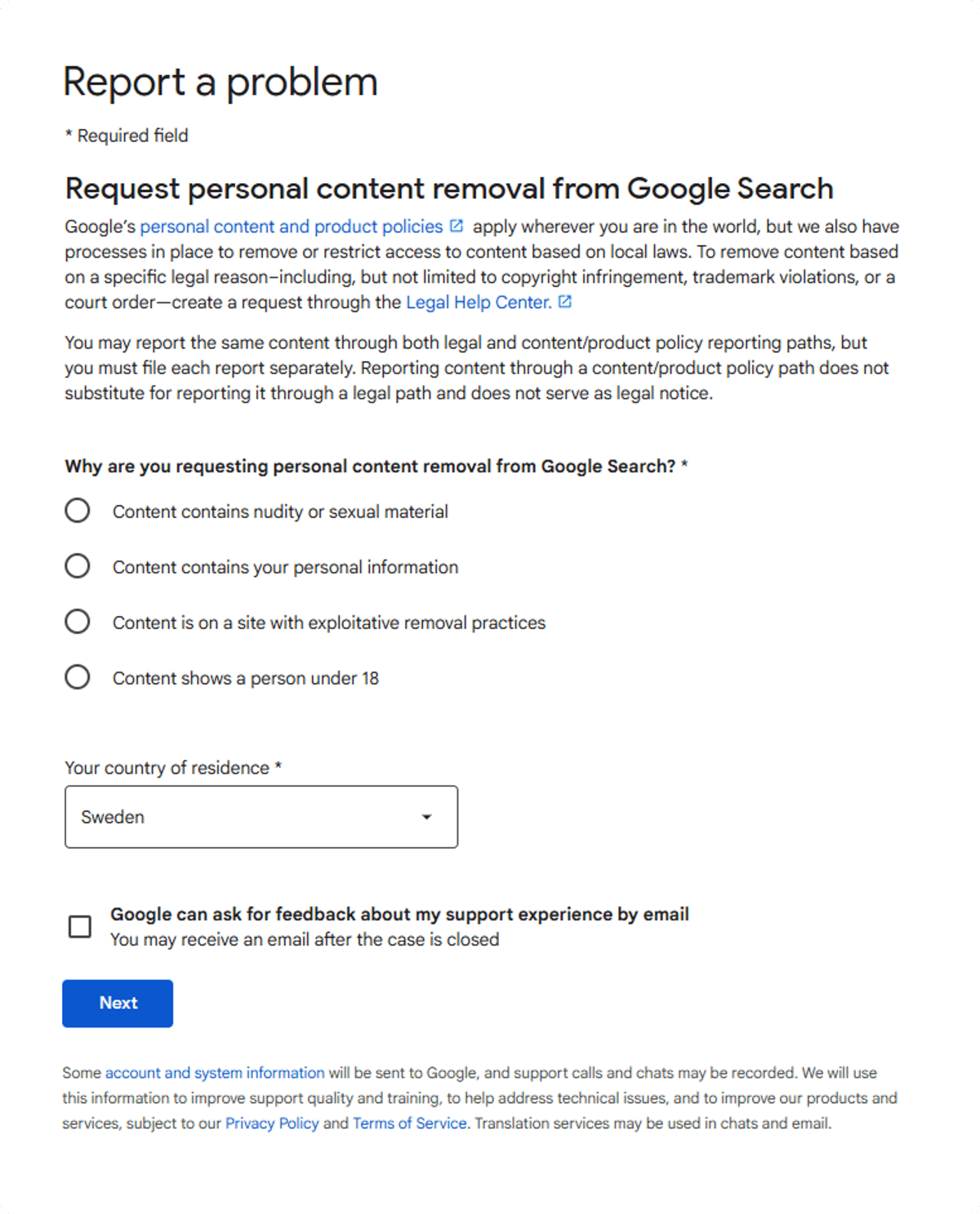 Expand
How to find and submit the right links
Step 1: Search for your name on Google
Go to www.google.com and search for your full name. To find every relevant result, try several variations: your full legal name, your name with a middle name or initial, your name with your home address, and your name with the city or town you live in. The goal is to find every result that shows your personal information.
Step 2: Pick out the unwanted links
Go through each result carefully and make sure it actually refers to you, not someone with a similar name. Focus only on links that clearly show your personal information, such as your address, phone number, email or other identifying details. If you find several links from the same website, treat each one separately: Google processes removal requests per URL, not per website.
Step 3: Collect and save the links
Open each relevant result and copy the full URL from your browser's address bar. Paste every link into one document, such as a Google Doc or a Word file. Having them all in one place before you submit helps you avoid duplicates and makes sure you don't miss anything.
Step 4: Submit your removal request
Go back to the Google form you picked earlier (EU or non-EU). Paste in the links you collected, add the required details and submit the request.
Google reviews each link individually and decides whether it qualifies for removal under its policies.
How long does Google take to remove search results?
Once your request is sent, Google starts reviewing the links. In most cases, links are removed within about 13 days. Some go in as few as 4 days, while others take up to 8 weeks, depending on the type of content and Google's review process.
You don't need to follow up with Google unless a long time has passed without any update.
What can and can't be removed from Google search?
Not every link qualifies. Knowing what does helps you set the right expectations before you submit.
| Usually removable | Usually not removable |
|---|---|
| Content showing your home address | Links that don't actually refer to you |
| Your full name combined with other personal details | Links to your own social media accounts |
| Photos of you | Content about public figures or matters of public interest |
| Personal information in forum posts or discussion threads | Business or corporate information where public access is legally required |
| News articles about you, if not considered of public interest | Official records |
Table: What Google typically will and won't remove
A note on public interest
Information considered relevant to the general public, such as official records, business details or matters of broader social importance, is usually not eligible for removal, even if it includes your name or other personal details. In those cases, the content has to stay accessible under the applicable laws and Google's policies.
This guide covers doing it yourself. If you'd rather have it handled for you, Serus monitors where your personal information appears and manages removals, including getting results about you removed from Google search.
 Expand
Questions
Can I remove a whole website about me from Google at once?
No. Google processes removal requests per URL, not per website. Copy the full URL of each result and include every link in your request.
Do I need to follow up after submitting a removal request?
Usually not. Google reviews each link on its own, and you only need to follow up if a long time passes without any update.
Can Google remove news articles about me?
Sometimes. News articles about you are generally eligible as long as they aren't considered to be of public interest.
Will Google remove links to my own social media accounts?
Typically not. Google usually won't remove links related to your own social media accounts or links that don't actually refer to you.

Author
Ida NilssonCustomer Success Manager
Helps Serus customers get real outcomes — onboarding, guidance, and answers when it matters.

Reviewed by
Filip Landgren, PhD